Less time deciding.
More time playing.
StackPop reads your play history and pulls the right game off your backlog, so you can stop scrolling and start playing.
Every game you own, in one place.
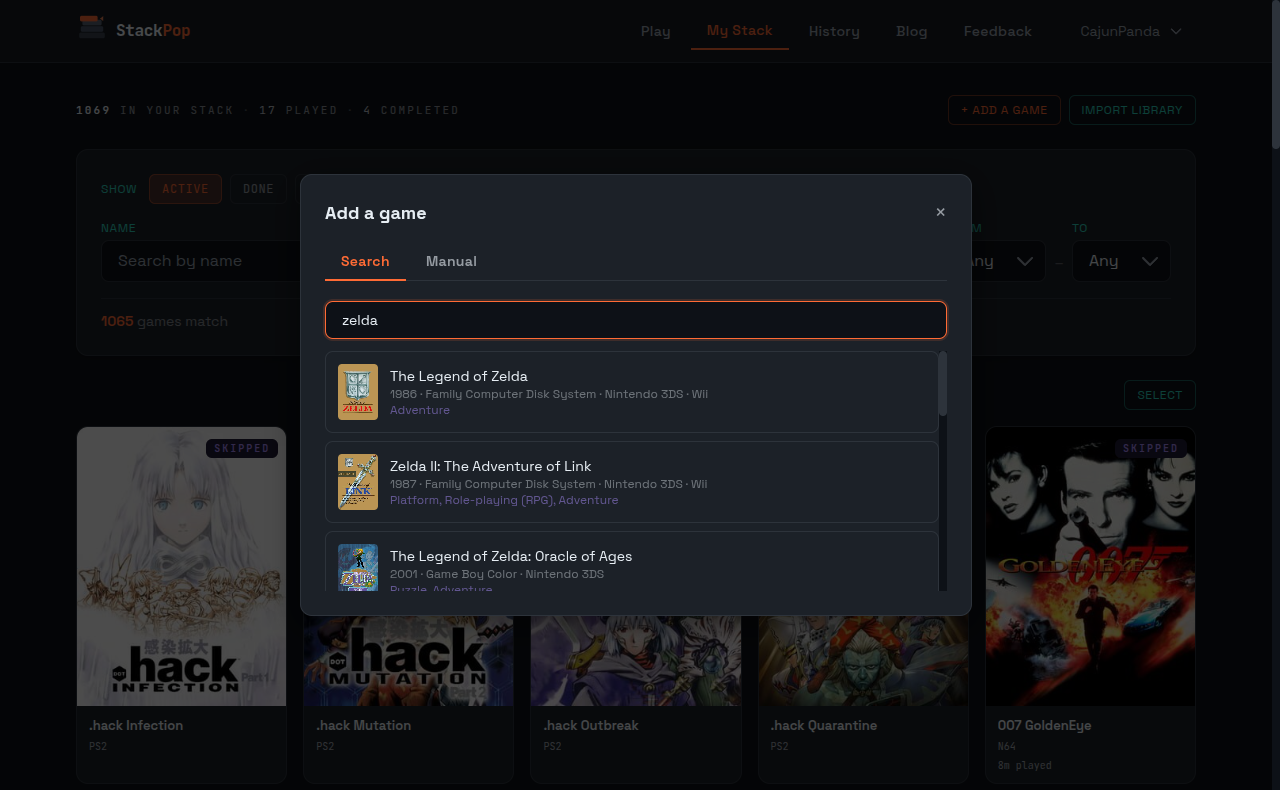
Steam, Xbox, retro carts, indie picks. Cover art for the whole shelf, sorted and ready.
You own 200 games and play the same three.
Hollow Knight. Disco Elysium. Outer Wilds. The indie you bought in a sale three years ago and never opened. They sit in your library, untouched.
You scroll for fifteen minutes. Nothing jumps out. You replay something familiar or watch someone else play on YouTube. Cataloging isn't the hard part. Getting past the scroll is.
StackPop picks for you.
How it works.
Three steps from a full backlog to a game in front of you.
Bring your games in
Connect Steam or Xbox to pull in your library and keep play activity in sync. Upload a PriceCharting CSV or a GAMEYE backup for retro carts and physical discs. Search IGDB one game at a time, or type a custom entry for fan translations and imports. Every platform from NES to PS5 fits on the same backlog.
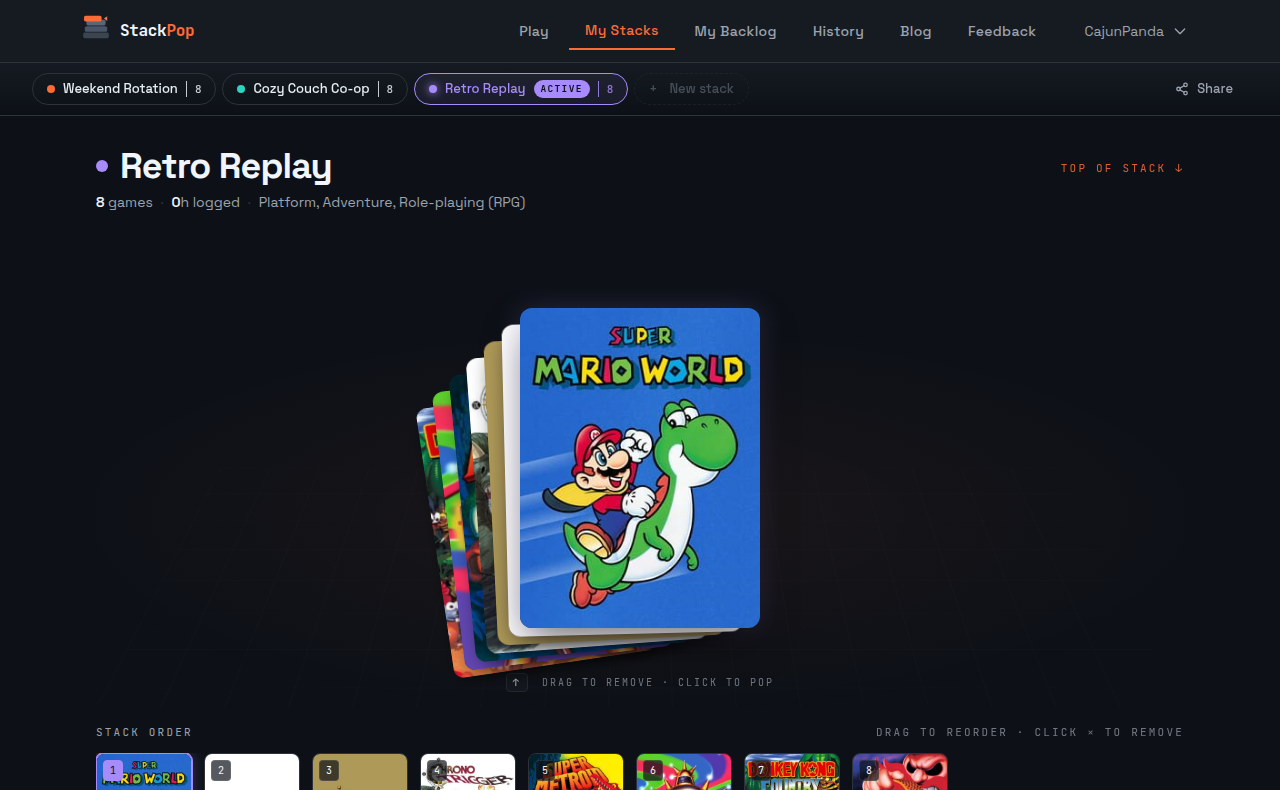
Stack what you'll play next
Short, hand-picked lists of games queued up for tonight. Spin up one for the long RPG, another for quick co-op nights, another for whatever else. Each stack has its own settings: filter by platform, genre, rating. Reorder by drag, or shuffle and let the order decide. When a stack runs low, smart top up refills it from your backlog with games that fit what you actually play.
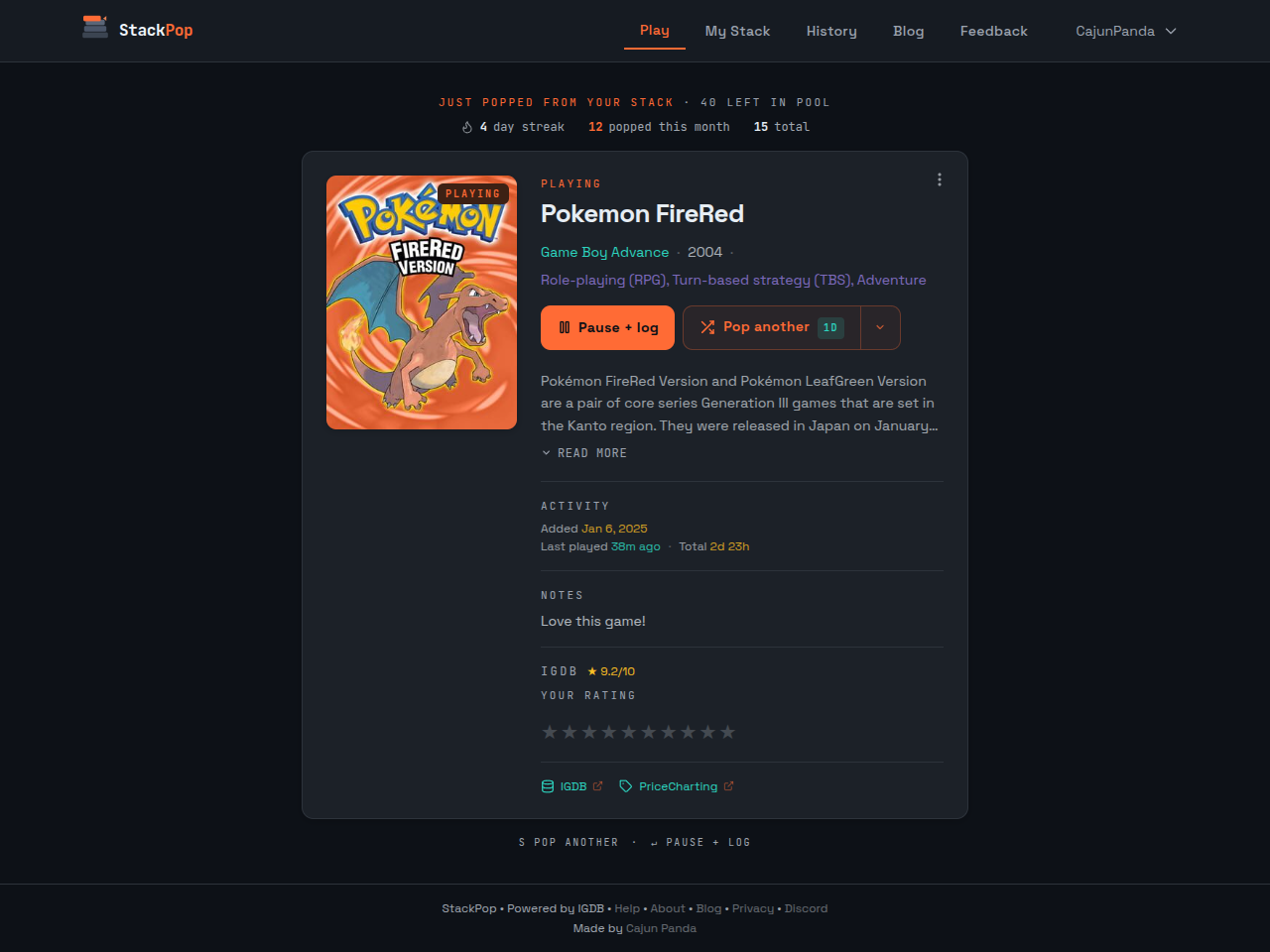
Pop the top, play, repeat
Tap the top card and StackPop pops it onto the Play page. Start a session and your time logs automatically. Not feeling it? Skip with a cooldown of one day, one week, or one month. The stack tops itself up with picks that match your taste, each with a quick reason why, so the next game is waiting tomorrow.
Most game trackers help you
list games. StackPop helps you play them.
Cataloging is easy. Pulling one game out of two hundred and starting it tonight is the part nothing else solves.
What's in the box.
Enough to get your backlog moving, nothing you don't need.
Smart picks.
When a stack runs low, StackPop fills it with games that fit what you actually play. It learns from what you've finished, rated, and sunk hours into, then hands you each pick with a short reason why. Games it surfaced recently step aside so the same few don't keep coming back. Narrow by platform, genre, or rating any time you want something specific.
Themed stacks
Short, ordered lists of what you'll play next. Each stack has its own color and settings. Pop the top, drag to reorder, or shuffle and let the order decide.
Skip cooldowns
Pass on a game and it disappears for a day, a week, or a month, then quietly comes back. Nothing is permanently abandoned, nothing keeps reappearing.
Ratings and notes
Rate every game out of ten. Leave a short note while it's fresh. A history log keeps a record.
Custom entries
Tracking a demo, a Japanese import, or a fan translation? Add anything by hand, even if it's nowhere in a database.
Achievements and streaks
Earn badges as you complete games, hit play streaks, or explore new genres. Show them on your profile.
Get your collection in.
Five paths from your existing library to your StackPop stack.
- SteamConnect once
Sign in with Steam to pull every owned game and sync playtime in the background.
- XboxConnect once
Sign in to import every title you've played, with platform and last-played dates.
- IGDBOne at a time
Search IGDB and add titles with covers, descriptions, and metadata.
- PriceChartingCSV upload
Export your collection from PriceCharting and upload the CSV in one shot.
- GAMEYEBackup file
Export a restore point from the GAMEYE app and drop it in, playtime included.
- ManualAnything goes
Type a title, pick a platform, tag the genre. For everything the databases miss.
Your stack is waiting.
Free to use. No ads. Your data stays yours. Sign up and rediscover your collection.
Start popping