Post
Tell StackPop what you're in the mood for
Building a stack used to mean naming it and then digging through settings. Now it is one question, and your answer builds the stack.

A stack is the short list StackPop pops from. Eight games, pulled out of the pile you already own, so that when you sit down at nine at night you are choosing between a handful instead of nine hundred.
Building one used to be the least enjoyable part of the app. You typed a name, picked a colour, and then, if you wanted the stack to behave like the thing in your head, you opened settings and worked through a platform allowlist, a genre filter, a rating floor and a maximum time to beat. That is a lot of translating. You already know you want short handheld games for a lunch break. Turning that into four filters is homework.
So now it asks you once.
That is the whole form. Say it the way you would say it out loud.
What you get back
StackPop reads the sentence against the games you actually own, names the stack, sets it up, and fills it. For the sentence above, on my library:

Advance Wars, the Contra Anniversary Collection, Tetris DX, Mega Man: Dr. Wily's Revenge, Kirby Tilt 'n' Tumble. Nothing there needs a guide open on my phone, and nothing there is a forty hour commitment. It also called the stack Lunch Break Bites, which is a better name than I would have typed.
The important part is that it only picks from your own shelf. It is not recommending games to go buy. It is going through what you already have and pulling out the ones that fit what you just said.
It shows its work
None of this is hidden. Open the stack's settings and the sentence you wrote is sitting right there, along with everything it decided from it.
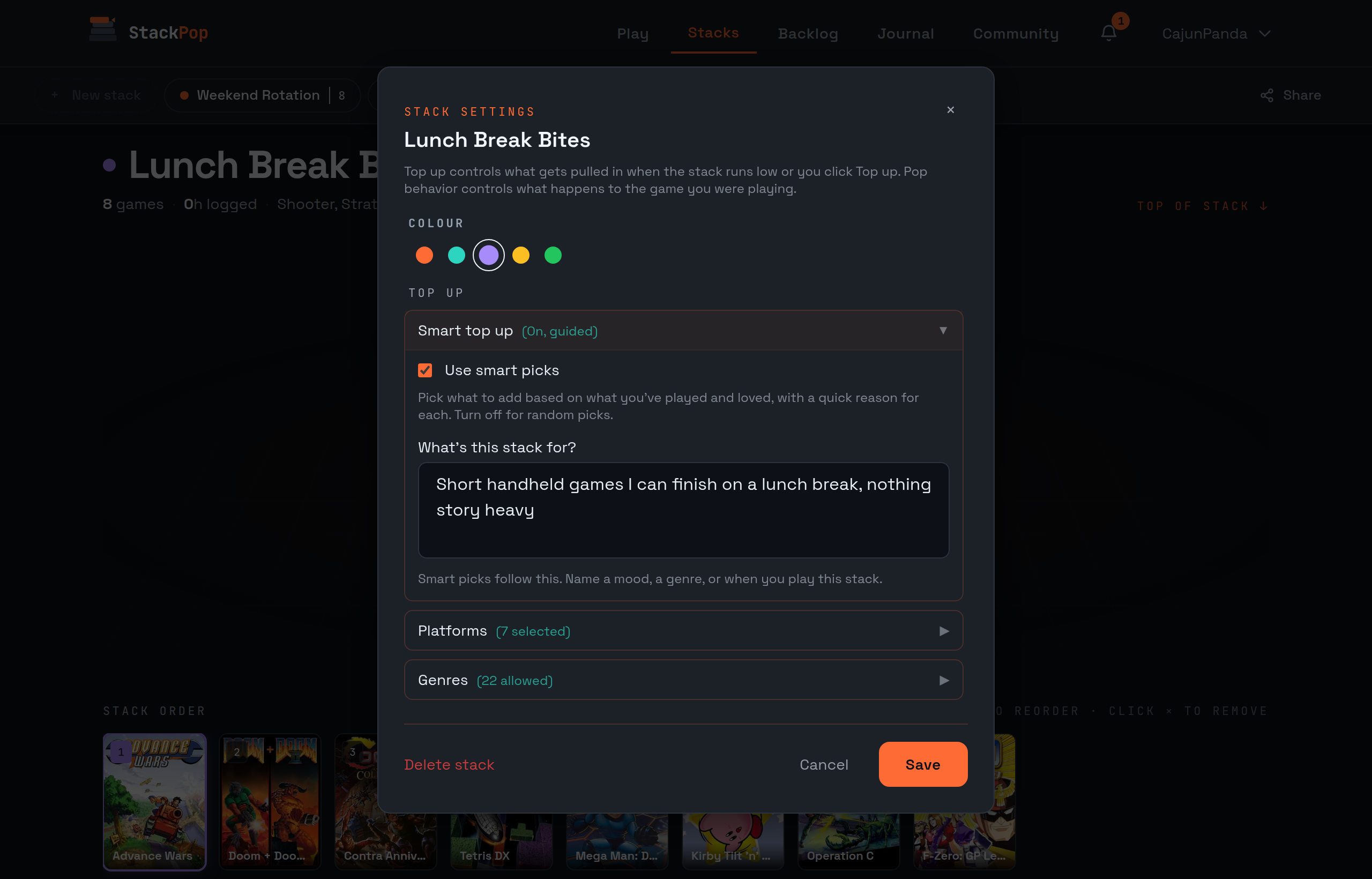
Seven platforms, a genre filter, a length limit. Change any of it, or rewrite the sentence and let the next top up follow the new one. If it read you wrong, you are two taps from fixing it rather than stuck with a black box.
No idea what you want?
Some nights you do not want to answer a question either. There is a die next to the button for that.
I'm feeling lucky skips the sentence entirely and builds a stack from your library and what you have been playing. It has to commit to an angle, so you get something with a point of view rather than eight games with a label on them: a platform you own a lot of and never touch, a genre your history keeps pointing at. It writes the sentence for you too, so the stack still knows what it is for afterwards.
Where to find it
Press New stack on the Stacks page. If you are new, you will land on it right after your first import, because the very first stack is the one where getting the picks right matters most.
Three stacks each, same as before. They just take about ten seconds to build now, and you can say what you want in your own words. Go tell yours what it is for.
Did this land?