Post
A new Play page, time to beat, and Xbox is back
The Play page is rebuilt around the time you actually spend, your backlog finally sorts, picks can match your free hour, and Xbox import works again.
I've shipped a pile of changes over the last couple weeks, and four of them are worth stopping on. One of them, Xbox, was straight-up broken for a while, and I owe you a fix and an explanation. The other three make the day-to-day of using StackPop better. Here's the tour.
The Play page is built around playing now
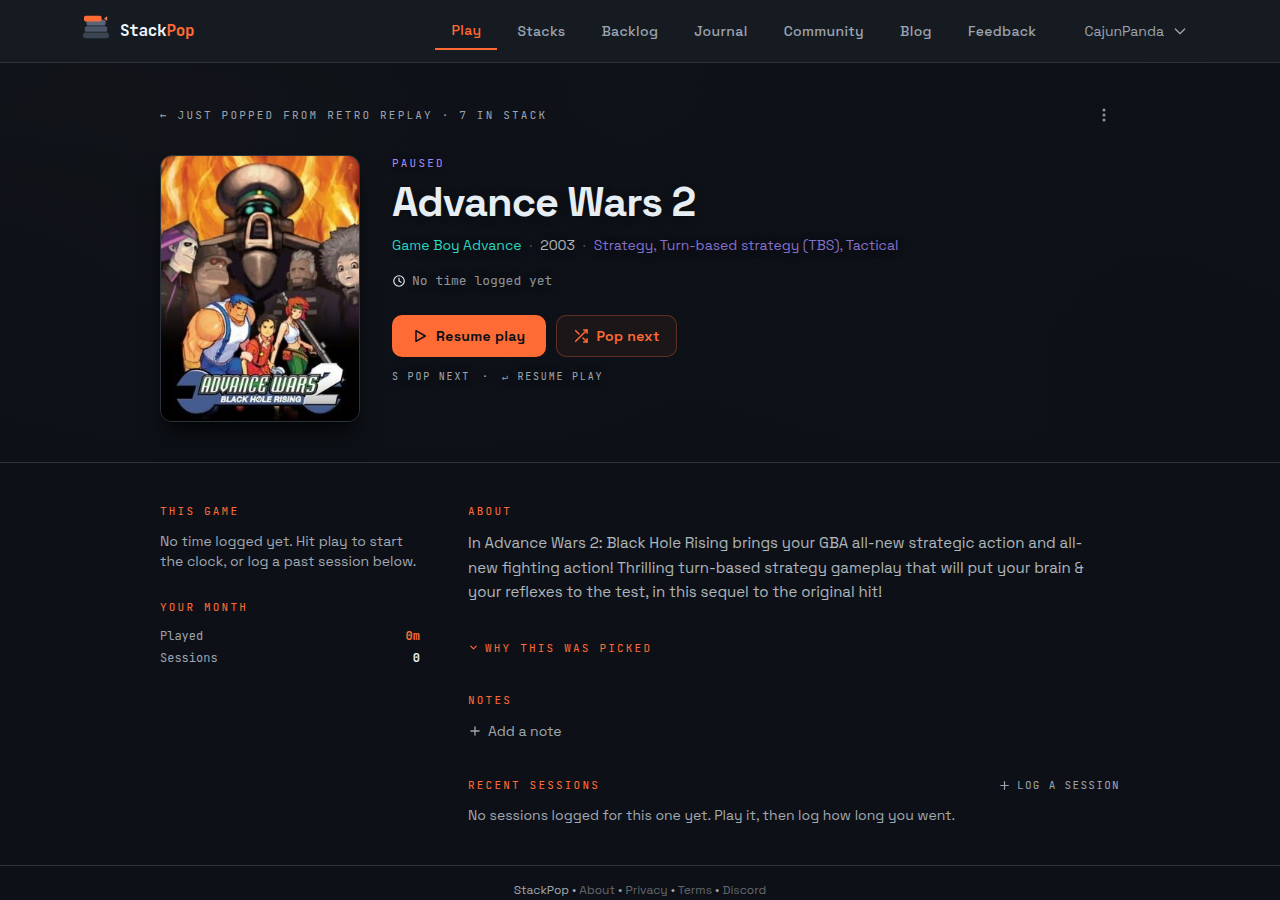
Popping a game was always the headline move. Tap, get a game, go. But popping is the start of the thing, not the thing. The thing is the hour you sink into Hades after the kids are down. So I rebuilt the Play page around that.
The popped game now gets a proper stage. Its cover art sets the color of the page, the title sits big up top, and below it you get two things that actually matter: what you've put into this specific game, and what your month looks like. Hours played. Sessions logged. The last few times you sat down with it. Hit play, the clock starts. Log a session after, it stacks up.
The old page treated every game like a card to flip past. This one treats the game in front of you like something you're actually living with. Popping still works exactly like it did. It's just no longer the loudest thing on the screen, because once a game is in your hands, the pop is over and the playing is what's left.
Your backlog sorts now
The backlog page used to be one long pile in one fixed order. Fine for browsing, useless the moment you had a specific question. "What's the shortest thing I own?" "What did I rate highest and never finish?" "What have I not touched in a year?" No way to ask any of it.
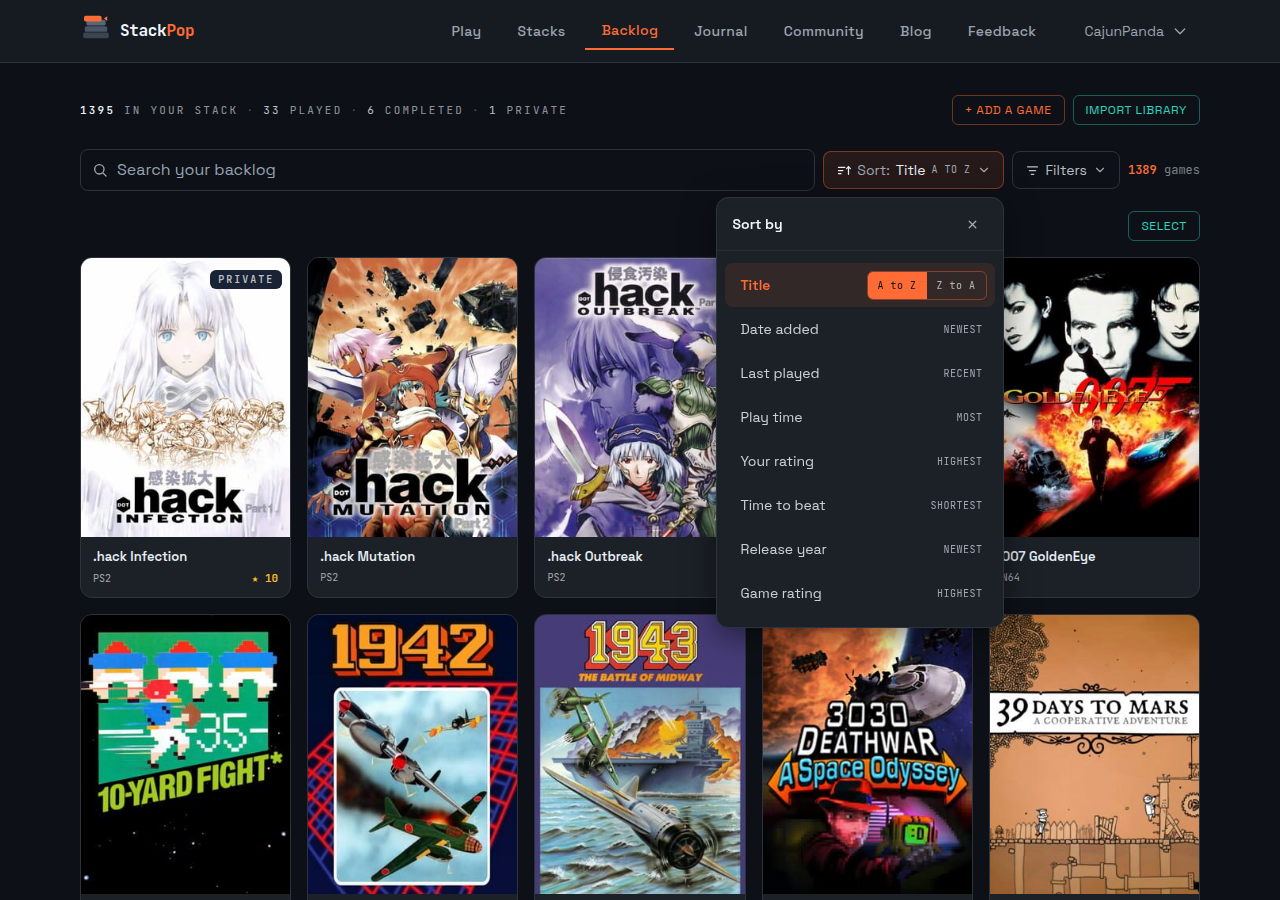
Now you sort by title, date added, last played, play time, your rating, time to beat, release year, or the game's community rating, each with a flip for direction. Want your highest-rated unfinished games up top? Two taps. Want the quick ones first? Sort by time to beat, shortest first. The filters got tidied into a single bar with a Search box, the Sort button, and a Filters sheet that collapses out of the way on your phone instead of eating half the screen.
The Play page and your stacks handle picking a game for tonight. So the backlog page got to become the other thing: the place you actually look through everything you own and decide what you care about.
Time to beat, so a pick fits the night you have
Some nights you've got four hours. Most nights you've got forty minutes. A picker that ignores that is going to keep handing you 90-hour RPGs when all you wanted was something you could finish before bed.
So StackPop now knows roughly how long games take. On a game's page you'll see three numbers: a rushed run, the main story, and a completionist run. It shows up on your backlog cards and in the stack peek too.
The useful part is what it does for your stacks. Open a stack's settings and there's a new Max time to beat slider.
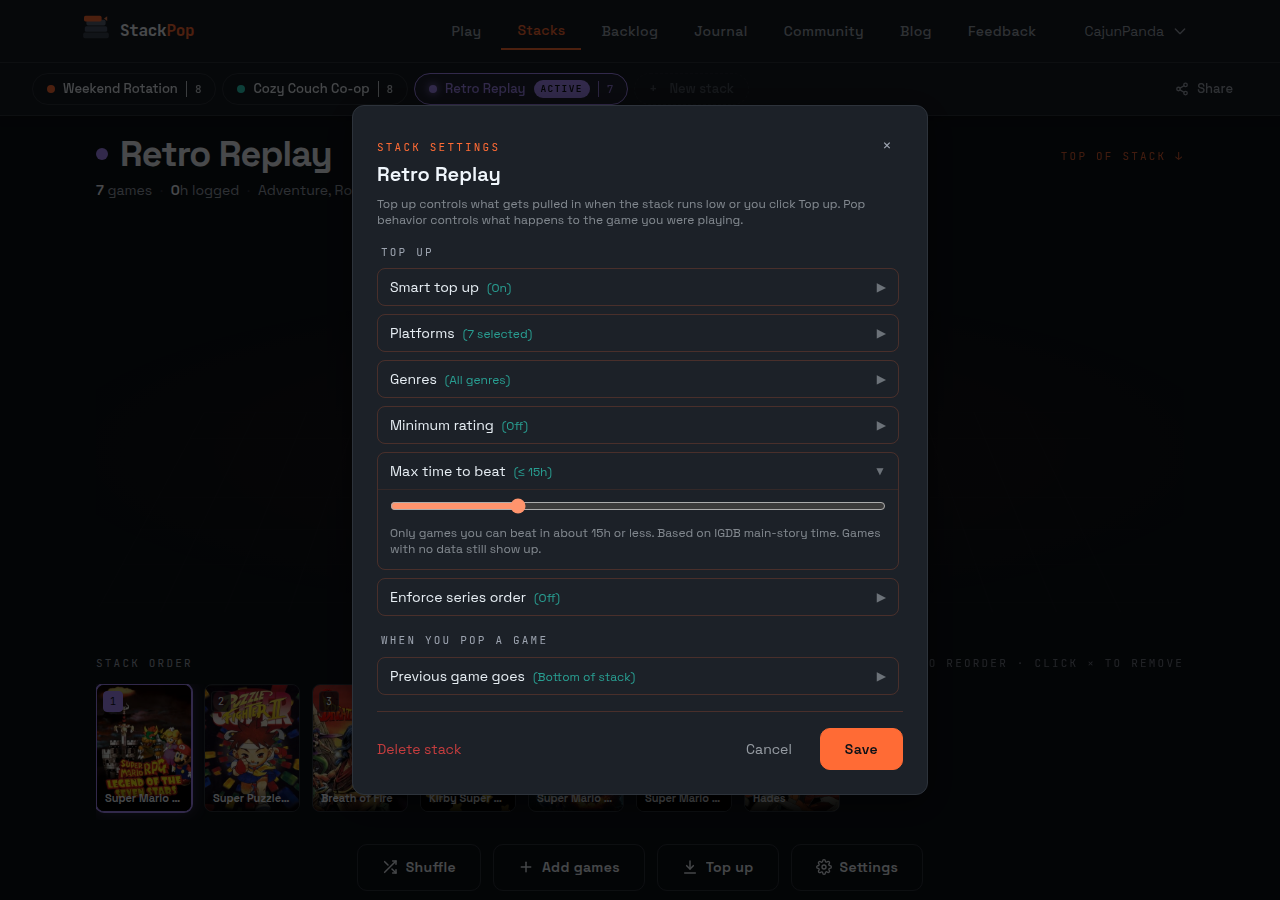
Slide it to 15 hours and that stack quietly stops pulling in the big ones. You've just built yourself a short-games stack. Smart top up uses the same signal, so when it refills a stack and writes you that one-line reason for each pick, it's also weighing whether the game fits the kind of time you tend to have. Games with no length data still show up, so nothing obscure gets starved out just because the database doesn't know how long it runs.
Xbox is back
Now the apology. Xbox linking broke around the middle of May and stayed broken for a few weeks. If you tried to connect your Xbox in that window and it just refused, that wasn't you. The service we relied on to talk to Xbox had a bug on their end that quietly stopped handing us the keys we needed, and there was nothing to do from the outside but wait or route around it.
I routed around it. StackPop now talks straight to Microsoft instead of through a middleman, so the whole thing is back under my control. Linking works again. You'll get a proper account picker so you can choose which Microsoft account to pull from, and your games and last-played dates sync the same as before.
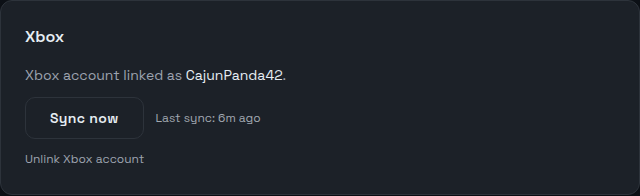
If you bounced off Xbox linking while it was down, go give it another shot. Same caveat as launch: Microsoft doesn't hand third-party apps your exact minutes per game, so Xbox titles arrive with real last-played dates rather than playtime totals. But the import itself is solid again, and it's not going to silently fall over on someone else's bug anymore.
That's the four. A Play page that respects what playing actually is, a backlog you can finally interrogate, picks that fit your night, and Xbox back from the dead. Log into StackPop, pop something, and play it for real.
Did this land?